Picture a management meeting at a mid-sized manufacturer. The managing director proposes starting with artificial intelligence on something concrete: an assistant that answers customers about delivery times and commercial terms. The finance director points out that the same customer appears three times in the ERP, with different addresses. The operations director adds that the current terms sheet lives in a sales rep's inbox. Someone suggests that the data needs "sorting out" first, perhaps with a data lake, and the decision slips to the following year.
The scepticism is right; the conclusion, almost always, is wrong. AI works on the data it is given and, on messy data, it gets things wrong without any sign that it has. That does not mean the company has to tidy everything before it starts. It means it has to know exactly what the first use case needs to see in order, and get that part right.
The short answer: ready for what?
"Is our data ready for AI?" has no answer until you say for which use case. There is no general level of maturity that gives the green light to everything. For each use, there are a few conditions that are non-negotiable and plenty of things that can stay exactly as they are.
The AI projects we see fall into three families. An assistant over documents needs documents that are current and have an owner. A forecast needs consistent history. An automation that writes into a system needs clean master data. Being ready for the first and far from the third is perfectly normal.
Three types of use case, three different demands
The assistant that answers from documents
This is the most requested case: an internal assistant that answers questions about procedures, commercial terms or product specifications, citing its source. The problem is rarely the language model. It is that a typical shared folder holds "Terms_Table_2023.pdf", "Terms_Table_2024_FINAL.pdf" and "Terms_Table_2024_FINAL_v2_revised.docx" side by side, and nothing in the system says which one is in force. Anyone who has been in the company a while ignores the first two; the assistant quotes the 2023 version with a clarity that sounds entirely convincing.
Being ready here means three things. Every document used has an identifiable current version. Every family of documents has an owner who answers when the information changes. And it has been decided who sees what, because an assistant answering the warehouse team should not quote the salary grid stored in the same folder. There is no need to review twenty years of archive: it is enough to secure the hundred or two hundred sources that answer most of the questions.
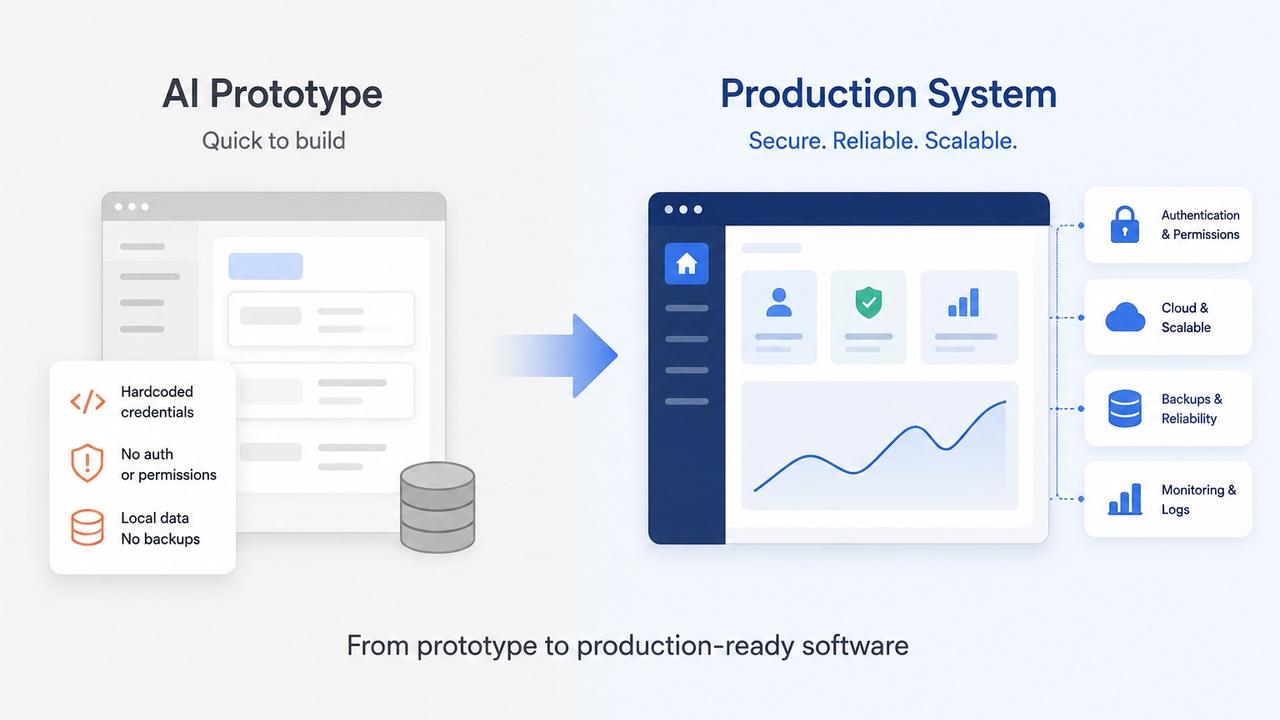
This is also where many prototypes mislead. More and more teams set up an assistant in ChatGPT, Claude or Gemini with a handful of hand-picked documents, and it works well. That prototype is useful: it shortens the discovery work and lowers the price of the project. But it does not bring what only shows up with the real folders, nor user accounts, a connection to the ERP, backups and testing. The article on taking an AI-built prototype to production covers what is missing in detail.
The forecast: demand, collections, breakdowns
Forecasting sales, late payments and cash flow or equipment failures requires consistent history: the same product with the same code over time, an ERP migration that did not reduce the earlier history to opening balances, and the ability to tell a zero sale caused by lack of demand from a zero sale caused by a stock-out. That last one is the classic trap. A model that learns from weeks when a product was out of stock concludes that nobody wants it, and recommends buying less of precisely what is missing.
As a rule of thumb, a seasonal forecast needs at least two full cycles, with promotions and returns flagged. When the history has gaps, it often pays to start with a Business Intelligence dashboard that consolidates it, and only then put a model to work on predictions.
The automation that writes into the system
The third case is the most demanding and the one whose return is easiest to measure: the AI reads an order that arrived by email, identifies the customer and the products, and creates the document in the ERP for someone to approve. Here the master data has to be clean, meaning the customer, supplier and product records that everything else rests on.
The problems repeat from one company to the next. Duplicate customers, such as "Silva & Filhos, Lda." and "Silva e Filhos Lda", with the same tax number and different payment terms on each record. Products with three codes, the internal one, the supplier's and the EAN barcode the customer uses on the order, with no table linking them. Tax numbers that fail the check-digit validation, typed in a hurry ten years ago (in Portugal, the NIF, the tax identification number every company and individual carries, has a check digit that makes this easy to test). Units that are sometimes a box and sometimes a single item. Special terms written in the notes field, where no system reads them reliably. An experienced person works around all of this without thinking. An automation picks one of the records and carries on, and the mistake only shows up on the invoice.
How the reading itself works, with cross-checks and an exceptions queue, is covered in the article on AI for processing invoices and orders. What matters here is what has to be clean beforehand, because no check can rescue an order matched to the wrong record of a customer who exists three times.
| Type of use case | What has to be ready | What can wait |
|---|---|---|
| Document assistant | Current version, owner, permissions | Old archive |
| Forecast | Stable codes, stock-outs and promotions flagged, two cycles | Data from other areas |
| ERP automation | No duplicate records, mapped codes, valid tax numbers | Inactive records, unused fields |
Signs the house is less tidy than it looks
- the same question about a customer gets different answers in the ERP, the CRM and the sales rep's spreadsheet;
- there is an Excel "mapping" sheet that only one person knows how to update;
- the answer about the current procedure starts with "it depends who you ask";
- the notes fields hold more useful information than the structured fields;
- nobody can say who decides which of two duplicate records is the right one.
None of these signs rules out an AI project. They show where the work is going to be.
An eight-question self-assessment
It does not give you a score: it shows where the company stands and which first use case is realistic. It can be answered internally in a week, with a few queries to the system and conversations with the people who use it.
- How many active customers share a tax number with another record? If the answer is "none" or "a handful", an automation over customers is viable now. If it is hundreds, de-duplication becomes part of the first project's scope.
- Do the tax numbers pass the check-digit validation? It is a simple test. A visible share of invalid numbers shows that record creation has no rules, and that the problem will come back unless the source is fixed.
- Does each product have one code, or is there a table linking the various codes? Without one, automatic reading of orders and invoices starts by building it.
- For the documents an assistant would use, do you know which version is current and who owns it? If so, a document assistant is one of the fastest cases to put into production. If not, the first piece of work is organisational, not technical.
- How many years of history do you have in the same system, with the same codes? With fewer than two full cycles, simple rules and a good dashboard deliver more value than a model.
- Are exceptions held in structured fields or in free-text notes? If special terms live in free text, AI can help extract them, once, into proper fields, which is useful in its own right.
- Who has the authority to decide a data rule? If nobody does, the project ends up waiting on decisions, and that, more than the technology, is what stretches timelines.
- Is the data reachable through a ready-made connection, a database replica or an automated export, or only through the screen? Screen-only access does not stop the project, but it changes the effort, as we explain in the article on adding AI to the software your company already uses.
If most of the answers are clear, even if they are not good, the company is ready to choose a use case and start. If the most frequent answer is "I don't know", the next step is a diagnosis, not a project.
The myth of the data lake before you start
The recommendation that delays AI projects more than any other is to build a data lake or data warehouse that brings everything together first, and only then think about use cases. It sounds prudent, but it has three problems.
Without a concrete use case, nobody can define what "clean" means: clean for invoicing is not clean for forecasting, and whoever cleans without knowing what for ends up standardising fields nobody will use while leaving the ones that mattered unresolved. Six months with nothing visible wears out management's patience before there is any return. And the data keeps degrading, because the root of the problem, records created without rules, was never touched.
The alternative that works is to start with one use case, clean what that case needs and fix the source. If the first case is reading orders that arrive by email, you clean the customers and products that appear in them, build the code mapping and start validating the tax number whenever a record is created. The case itself becomes the quality mechanism: every order the automation cannot match with confidence goes into an exceptions queue, and every exception resolved corrects a record. The data work pays for itself through the hours the case saves, and it stays done for the next one.
A central data layer makes sense, but as a third step rather than a first: when several use cases in production already consume the same data, or when management needs indicators that cut across systems. At that point, a Digital Brain or an analytics platform stops being speculative infrastructure and has internal customers waiting for it.
Two wrong answers
Put AI to work on the data as it is and hope it figures things out. A language model is good at spotting records that are probably the same customer. What it should not do is decide on its own, in production, which one to use: on top of wrong master data, AI amplifies mistakes at a speed no person can match.
Do a one-off clean-up and consider the matter closed. Without rules at the point where records are created, a de-duplication unravels within months. What lasts is changing the way data comes in: validations, mandatory fields and an owner for each master table.
How we work
1. Free diagnosis and choice of use case
A conversation about the process that weighs most and about the assessment above, free and with no commitment. You come away with a concrete use case, with volumes and estimated hours.
2. Profiling the data the use case relies on
One to two weeks measuring, on real samples, the data the case depends on: duplicates, invalid tax numbers, unmapped products, current documents. We separate what can be fixed automatically, what needs human review and what needs a decision from the company.
3. Targeted clean-up and rules at the source
Automatic suggestions reviewed by the people who know the customers and products, never blind merges, and rules that stop the problem coming back. It is also the moment to delete personal data that should no longer be held, in line with the GDPR's storage limitation principle.
4. The use case in production, with an exceptions queue
Whatever the system cannot handle with confidence goes to a person. That queue is both a safeguard and an indicator: if it shrinks week on week, the data is getting better.
5. Expanding on what is already clean
The second use case costs less, because it inherits clean data, access already in place and validated rules: the investment in data compounds instead of being repeated.
What the data work costs
In most cases, the data work is part of the first use case. A first AI use case in production sits between €7,500 and €15,000, with the timeline fixed during the initial scoping, and it includes data profiling and a targeted clean-up when the volume is reasonable. When the clean-up is heavy, with thousands of duplicate records or history split across two systems, the scope moves to the multi-process tier, between €15,000 and €25,000.
When the use case is a forecast and the history has to be consolidated first, a dashboard for one area, between €10,000 and €20,000, is often the right starting point, because it gives management value before there is any model. A knowledge base for several departments, the core of a Digital Brain or a company-wide AI platform, sits between €25,000 and €45,000.
The figure goes up with the number of source systems, screen-only access, scanned documents with no text layer and, above all, pending business decisions. It comes down with one main system, an internal owner with authority and a narrow use case. The monthly running cost is covered in the article on how much it costs to implement AI in a company in Portugal.
When you do not need outside help
Sometimes it makes no sense to hire anyone. With a few hundred customers and a dozen duplicates, one person can sort that out in two afternoons inside the ERP itself. If your documents already live in SharePoint in good order, with versions and permissions well managed, an off-the-shelf assistant built into Microsoft 365 may be enough, and that is what we will tell you.
Nor is it worth pushing ahead with a forecast when reliable history does not cover two full cycles: the model looks accurate in testing and fails in the first season that behaves differently, and a dashboard with simple rules serves management better until then. And it is not worth cleaning the data of a process that lives entirely in side spreadsheets: there, the problem is a system that does not model the business.
Questions for choosing the first use case
- Which specific process do you want to improve first, and how many hours a week does it take today?
- What data does that process use, and in which systems or folders does it live?
- Who, inside the company, can decide data rules when questions come up?
- Which mistake in production would carry a real cost: an invoice with the wrong terms, a wrong answer to a customer?
- Which indicator would show, after three months, that it was worth it?
The fastest way to find out whether your data is ready is to look at it with a use case in hand. That is what we do in our AI for business projects: choose the first use case, measure the data it relies on, tidy what is needed and put it into production. To see where your company stands, you can request a free diagnosis. We look at the process and the data, without commitment, and you leave that conversation with a first use case chosen, or with an honest view that it is still too early.